
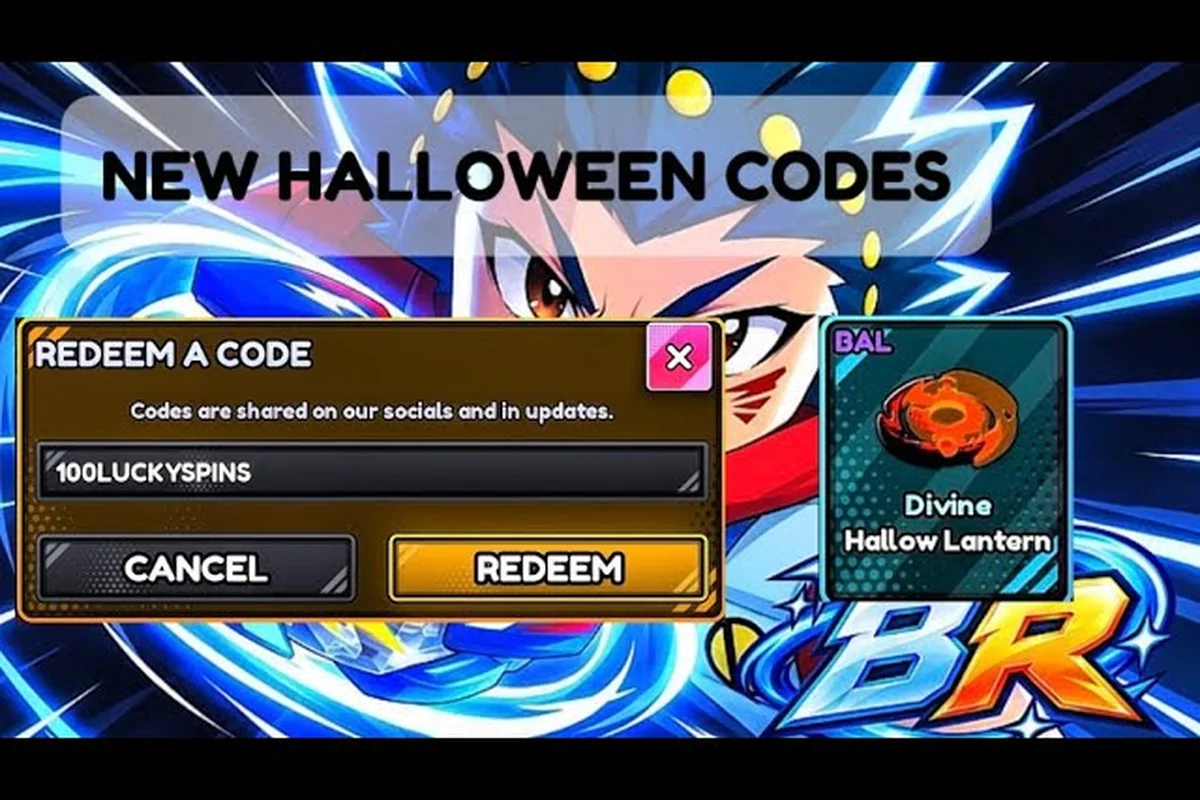
The bey rivals spookyseason event turned the entire game page into a pumpkin-branded promo window, and it hands out limited Beys, parts, and Bey Points through a short list of themed codes. If you want every reward before the window closes, you need to know which codes exist, where to redeem them, and how to farm the currency loop efficiently. This breakdown covers the Halloween promo, the reward structure, and what the October 2026 update schedule suggests about the next patch.
According to the official Bey Rivals Roblox experience page, the SpookySeason event's rewards, drop rates, and limited-time mechanics are documented directly by the developers at the official Bey Rivals Roblox page.
What the SpookySeason Event Actually Is
Bey Rivals is a Roblox battle game from the group BBR Productions, and it launched on 2026-10-10. That means the Halloween promo is not a seasonal add-on bolted onto a mature game — it is part of the game's very first month. The title currently carries a pumpkin emoji prefix during the promo window, which is the clearest visual signal that the spookyseason event is live.
The important structural detail is that seasonal rewards here are not delivered through a separate battle pass. According to the verified fact set, event rewards during seasonal windows arrive through codes and event-exclusive Beys and parts. That changes your entire approach: instead of grinding tiers on a pass track, you redeem codes and then farm the parts economy around them.
Here is what the event window includes at a glance: five reward channels that all feed the same part economy rather than a tiered pass track. Themed codes such as HEADLESS and SPOOKYSEASON redeem in the Shop menu's Codes tab, limited spooky Beys enter the roster through those same code drops, and event parts slot directly into your loadout. Bey Points (BP) — the main currency for the part economy — accumulate from both battles and code rewards, while Spin Tickets / Lucky Spins convert that playtime into part rolls.
| Event Element | How It Works | Where You Get It |
|---|---|---|
| Themed codes | Redeemed in the Shop menu, Codes tab | In-game redemption UI |
| Limited spooky Beys | Event-exclusive roster additions | Code drops and event rewards |
| Event parts | Themed part drops for loadouts | Seasonal reward loop |
| Bey Points (BP) | Main currency for the part economy | Battles and code rewards |
| Spin Tickets / Lucky Spins | Feed the part-rolling economy | Code rewards and play |
The Halloween season ran four-to-five themed codes, with HEADLESS and SPOOKYSEASON among the confirmed strings in media lists. Because code lists disagree from source to source, always defer to the in-game Codes page for the authoritative list.
Why the Codes-First Model Matters
Because there is no pass track, your first move on login should always be a redemption sweep. Joining the official Roblox group BBR Productions is required before redeeming most in-game codes, so do that first — it takes seconds and unlocks the whole reward pipeline.
Once codes are claimed, the rest of the event is a currency loop. BP funds part rolls, Spin Tickets and Lucky Spins feed the banner-style spin system, and Soul Tickets tie into the Soulreel side of the economy. If you want a broader look at which seasonal Beys are actually worth chasing, the event limited Beys list breaks down the Halloween roster.
How to Redeem SpookySeason Rewards Step by Step
Redemption is simple, but the order you do things in saves real time. The verified process is: open the Shop menu, go to the Codes tab, and redeem. That is the whole mechanic — there is no NPC to visit and no quest chain to finish first.
Follow this exact order to avoid wasting a session: join the BBR Productions group first, since most SpookySeason codes silently reject redemption until you are a group member — the Codes tab will simply return an error rather than a clear "join group" prompt. Launch the game, open the Shop menu from the main lobby, switch to the Codes tab, and enter each themed string one at a time, claiming the Beys, parts, and BP before moving to the next. Skipping the group step is the single most common reason players assume a code is dead when it is actually still live.
-
Join the BBR Productions group on Roblox — required before most codes will accept.
-
Launch the game and open the Shop menu from the main lobby interface.
-
Switch to the Codes tab and enter each themed string one at a time.
-
Claim rewards and check your inventory for new Beys, parts, and BP.
-
Re-check the Codes tab after any patch, since codes expire or change after updates.
That last step is the one most players skip. Because the game launched on 2026-10-10 and was patched frequently through October, code behavior can shift between sessions. If a string that worked yesterday suddenly fails, it is usually a patch-side change rather than a typo on your end.
Reward Types You Should Track
Not all event rewards are equal, and knowing what you are chasing keeps you from over-farming the wrong mode. Ranking the spookyseason payout by value level clarifies the priority order: Limited spooky Beys sit at Very High since they are event-exclusive roster picks you cannot roll outside the window, while Bey Points and Spin Tickets both land High because they feed the banner part-rolling economy directly. Lucky Spins at Medium-High simply extend your roll attempts, and Soul Tickets at Medium only advance Soulreel-side progression — so a player grinding Soul Tickets past their daily cap is trading banner pulls for a lower-tier track. Match your farming mode to the reward tier you actually need, then stop.
| Reward Type | Value Level | Best Use |
|---|---|---|
| Bey Points (BP) | High | Rolling parts on the banner system |
| Spin Tickets | High | Feeding the part-rolling economy |
| Lucky Spins | Medium-High | Extra roll attempts on banners |
| Soul Tickets | Medium | Soulreel-side progression |
| Limited spooky Beys | Very High | Event-exclusive roster picks |
| Event parts | High | Loadout tuning for ranked pushes |
The early major patches set the tone here. BIGFIXUPDATE was a balance and bug-fix patch distributed partly through a code that granted 7.5K Bey Points plus 5 Spin Tickets, and RINGOUTFIX addressed burst and ring-out physics while shipping as both a patch theme and a code. That pattern — patch plus code — is the rhythm you should expect from any future seasonal drop.
Farming the Event Loop Without Burning Out
The core combat rules matter for farming because they decide how fast a match ends. Combat is burst-style: a Bey that burst-pops or gets knocked out (ring out) loses the clash. Fast losses and fast wins both mean shorter matches, which means more BP per hour if you build for decisive outcomes rather than long attrition fights.
Part types split into Attack, Defense, Stamina, and Balance, and surnames plus traits add throw-type modifiers and stat buffs. For event farming specifically, the practical advice is to lean into whatever your current parts support rather than chasing a meta build you cannot assemble yet — the meta shifts with each balance patch anyway.
A simple farming routine that works for most players: run your strongest Attack-leaning combo into the lowest-difficulty event node and let burst-pops end each clash in under 30 seconds, since a ring-out or burst finish skips the stamina war that drags a Defense mirror match past the two-minute mark. Track your BP per match for ten runs before committing — if you are averaging under 40 BP a clear, swap one trait for a throw-type modifier that speeds up the kill rather than grinding the same loadout harder.
-
Warm up with a few quick matches to confirm your loadout still performs after the latest patch.
-
Bank BP toward banner rolls rather than spending on cosmetic sidegrades.
-
Redeem any newly discovered codes the moment you see them, since expiry is unpredictable.
-
Re-check the tier landscape after each patch, because buffs and nerfs land fast in a game this young.
If you want to know which surnames and traits are currently carrying ranked play, the best surname meta breakdown tracks how traits and throw modifiers interact after each balance pass — useful for the Spookyseason event because the October update shifted several throw-type modifiers that affect burst-pop speed. Check that breakdown before locking in a farming loadout, since a trait that carried you through the November update may now be a dead slot. Cross-reference your top three surname picks against the event's reward tiers: if a banner roll needs 1,200 BP and your current combo averages 38 BP per clear, the tier list tells you whether swapping one trait for a throw-type modifier closes that gap faster than grinding the same build.
Reading the Patch Rhythm
Bey Rivals was created on 2026-10-10 and patched frequently through October 2026, with the last update shown on the game page dated 2026-10-26. That is an aggressive cadence for a game less than three weeks old, and it tells you something useful: do not build a long-term plan around any single patch state.
The BBR Productions group also reached Roblox Community Tier 3 on 2026-10-25, which is a visible milestone for the developer group and a reasonable signal that support and update frequency will continue. For a game with roughly 2.08 million visits, about 3.6K players online, and a 25-player server cap as of 2026-10-26, that tier milestone matters more than it would for a larger title.
October 2026 Update and November Expectations
The bey rivals october 2026 update window is essentially the game's launch month. Everything from the initial release to the Halloween promo happened inside a single October, which is why the bey rivals october update feels less like a seasonal patch and more like the game's foundational state.
When players ask about the bey rivals november update, the honest answer is that no official roadmap page exists on Roblox for Bey Rivals as of 2026-10-26. Update expectations come from the game page date and community reports rather than a published schedule. That is a meaningful caveat — treat any specific November date you see floating around as unconfirmed.
Here is what is confirmed versus community-mentioned: the Halloween promo window is verified through game page branding, and the themed codes HEADLESS and SPOOKYSEASON appear in community and media code lists, while the BIGFIXUPDATE and RINGOUTFIX patches with their associated codes are confirmed through patch and code distribution. By contrast, Boss Raids, Story Mode, and Tournaments surface only in player discussion, with no official post backing them as of 2026-10-26. That gap between confirmed spookyseason event content and rumored features is exactly why you should verify each item against its source type before planning your rewards grind.
| Item | Status | Source Type |
|---|---|---|
| Halloween promo window | Confirmed live | Game page branding |
| Themed codes (HEADLESS, SPOOKYSEASON) | Confirmed in media lists | Community/media code lists |
| BIGFIXUPDATE patch + code | Confirmed | Patch and code distribution |
| RINGOUTFIX physics patch + code | Confirmed | Patch and code distribution |
| Boss Raids | Community-mentioned, not announced | Player discussion |
| Story Mode | Community-mentioned, not announced | Player discussion |
| Tournaments | Community-mentioned, not announced | Player discussion |
That distinction matters because roadmap speculation spreads fast in a new game. Boss Raids, Story Mode, and Tournaments come up constantly in community chatter, but as of 2026-10-26 none of them appear in an official post. Plan around what exists, not what might arrive.
When Is the Next Update?
For anyone tracking bey rivals when is the next update, the practical method is to watch three signals rather than wait for an announcement. First, the game page's last-updated date — it moved to 2026-10-26 and will move again with the next patch. Second, the official Discord, where server status posts live and where server-down reports get community confirmation before any changelog appears. Third, the in-game Codes tab, since new codes typically ship alongside patches.
Server-down reports in particular are community-reported and usually resolve without an official changelog entry, so a quiet period does not necessarily mean nothing is happening. If you run into connection trouble mid-event, the server status and update checks walk through how to tell a real outage from a routine patch window.
Getting the Most Out of the Seasonal Window
The single biggest mistake players make with a codes-driven event is treating redemption as a one-time chore. Because codes expire or change after updates, and because the game is patching frequently, the Codes tab is something you should revisit every session during an active promo window.
A second mistake is ignoring the parts economy while chasing Beys. The customization loop is what actually drives progression: you gather parts through banner-style spins, tune a loadout, unlock abilities, and then push into the ranked ladder. Event parts feed directly into that loop, so a seasonal reward that looks like a minor sidegrade can matter a lot once you slot it into a tuned build.
Finally, keep expectations calibrated. This is a game that launched on 2026-10-10 and hit its first seasonal promo inside the same month. The reward structure is generous relative to its age, but the systems around it — the ranked ladder, the part economy, the balance patches — are still settling. Re-checking current codes and tier lists after any update is not paranoia; it is the correct habit for a title whose meta shifts this quickly.
Frequently Asked Questions
What is the Bey Rivals SpookySeason event?
It is the Halloween promo window that turned the game page pumpkin-branded and delivered themed codes, limited spooky Beys, and event parts. Rewards come through code redemption and the seasonal reward loop rather than a separate battle pass, so joining the BBR Productions group and checking the Codes tab is the core routine.
How do I redeem SpookySeason codes?
Open the Shop menu in-game, switch to the Codes tab, and enter each string one at a time. You must join the official BBR Productions Roblox group before most codes will accept. Codes expire or change after updates, so re-check the tab after every patch rather than assuming yesterday's list still works.
When is the next Bey Rivals update?
No official roadmap page exists on Roblox as of 2026-10-26, so there is no confirmed date. Watch the game page's last-updated field, the official Discord for server status posts, and the in-game Codes tab — new codes typically ship alongside patches, making the tab a reliable early signal.
Are Boss Raids and Story Mode coming to Bey Rivals?
Both are community-mentioned but not officially announced as of 2026-10-26, along with Tournaments. Treat them as speculation until an official post confirms them. The confirmed content so far is the Halloween promo, the themed codes, and the BIGFIXUPDATE and RINGOUTFIX patches with their associated code drops.
What rewards should I prioritize during the event?
Prioritize limited spooky Beys and Bey Points first, since BP funds the banner-style part rolls that drive your whole loadout. Spin Tickets and Lucky Spins come next because they feed the same rolling economy. Soul Tickets are useful but narrower, tying mainly into the Soulreel side of progression.